Free Government iPhone Application Guide 2025
If you qualify for the Lifeline program, you may be able to receive a free government iPhone with low cost or no monthly service charges. The problem is that most ads only shout “apply now” without explaining what actually happens between clicking the button and holding your device in your hand.
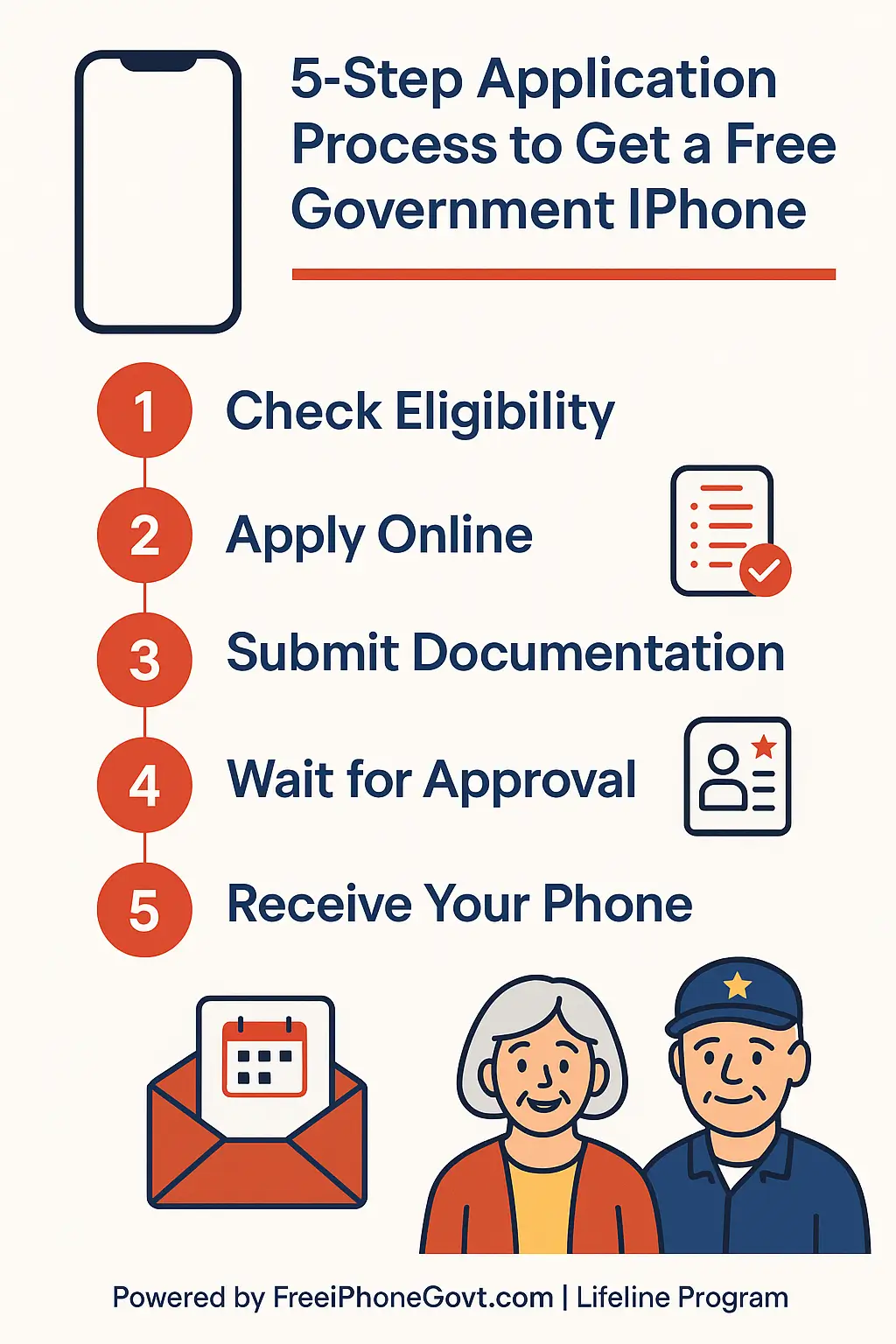
This guide is written to be the official application walkthrough for FreeiPhoneGovt.com. It shows you who typically qualifies, how to move through each step without mistakes, and where your other detailed resources fit in, like eligibility rules, required documents, timelines, and common mistakes.
1. Understand What “Free Government iPhone” Really Means
Before you apply, it helps to understand what you are and are not getting.
Most offers described as a free government iPhone are built on the Lifeline program, which is a federal benefit that helps low income households stay connected. Lifeline generally provides a service discount and, in some cases, a device through participating providers such as FreeiPhoneGovt.com and other approved carriers.
Key points to keep in mind:
- The benefit is usually one line per household.
- Plans and device models vary by state, stock, and provider policies.
- Some newer iPhone models may require a small one time copay.
- You must agree to program rules such as using the service regularly and recertifying each year.
Think of this guide as your map. It will not replace your state rules or provider terms, but it will help you move through the process smoothly.
2. Check If You Qualify Before You Apply
2.1 Use the National Verifier and State Resources
The fastest way to avoid rejection is to confirm eligibility first.
Advertisement
You can:
- Use the official National Verifier eligibility tool.
- Review your state Lifeline rules and the eligibility details on FreeiPhoneGovt.com.
Typical ways people qualify include:
- Household income at or below 135 percent of the Federal Poverty Guidelines in most states.
- Participation in qualifying programs such as SNAP, Medicaid, SSI, or other means tested benefits.
If you receive benefits on an EBT card or you are already enrolled in Medicaid, you may be very close to qualifying.
2.2 Decide Which Eligibility Path Fits You
There are two main paths:
- Income based eligibility
You qualify because your household income is under the allowed limit for your state and household size. - Program based eligibility
You qualify because you are already enrolled in a qualifying program such as SNAP, Medicaid, SSI, certain tribal programs, or similar benefits.
If you are not sure which path fits you better, focus on the one with the clearest documents. For example, if your SNAP letter is recent and easy to upload, program based eligibility may be simpler than gathering a full income packet.
3. Choose a Trusted Lifeline Provider
Once you know you are likely eligible, the next step is choosing who to apply through. This decision affects your device options, coverage area, data plan, and support quality.
3.1 Why Apply Through FreeiPhoneGovt.com
FreeiPhoneGovt.com focuses specifically on helping eligible households, seniors, and veterans connect with iPhone devices under Lifeline where allowed. On this site you can:
- Review eligibility details in plain language.
- See required documents before you start.
- Submit a simple online application.
- Check your application status after you apply.
You can also research other approved Lifeline providers and compare options. Many applicants still choose FreeiPhoneGovt.com because they want a provider focused on Apple devices and clear support.
3.2 Other Lifeline Providers That May Offer iPhones
Several well known Lifeline carriers may provide iPhones or compatible smartphones in certain areas, including:
- SafeLink Wireless
- Assurance Wireless
- Q Link Wireless
- Access Wireless
- enTouch Wireless
Availability of specific models changes over time. If you are comparing providers, focus on:
- States where they operate
- Whether they clearly list Apple models or “smartphone only”
- Data allowances, hotspot options, and coverage maps
4. Gather Documents Before You Start Your Application
Most delays happen because people begin the form and then realize they do not have the right papers ready. Take a few minutes to collect everything before you click “Apply.”
Common documents include:
- A valid photo ID such as a driver’s license, state ID, or passport
- Proof of program participation such as your SNAP or Medicaid award letter, EBT card, or SSI benefit letter
- If applying by income, proof of income like a recent tax return, pay stubs, or benefit statement
- A document showing your current address, for example a utility bill or government letter
Make sure names, addresses, and dates are clear and match what you type into the form. If something is expired or hard to read, replace it with a newer, clearer copy if possible.
5. Complete Your Application Step by Step
5.1 Online Application
For most people, the online application is the fastest path. You will typically:
- Visit your chosen provider’s application page.
- Enter your name, date of birth, and contact details exactly as they appear on your documents.
- Provide your Social Security number digits or other required identifiers only if requested in the secure form.
- Select whether you are qualifying by income or program participation.
- Upload clear photos or scans of your documents.
Take a moment before you click submit to review:
- Spelling of your name
- House number and apartment number
- Birth date
- Email and phone number
Small errors can trigger an automatic rejection even when you are fully eligible.
For more detail on how long each stage usually takes, you can also read the Free iPhone application timeline guide.
5.2 Paper or In Person Application
If you do not feel comfortable online or have limited internet, you can sometimes apply:
- By mail, using a printed application and copies of your documents
- At an in person enrollment event or local partner location, where a representative helps you complete the form
When applying by mail, use clear, dark copies and avoid staples over important text. When applying in person, bring originals plus copies so staff can read details and keep a copy in the file.
6. What Happens After You Apply
6.1 Typical Approval Timeline
While exact times vary, a common pattern is:
- Online applications
Often reviewed in about 2 to 3 business days when documents are clear. - Mail applications
Commonly take up to 5 business days or slightly more, depending on mail speed and workload. - In person events
Initial review may happen the same day, with final confirmation coming later by text, email, or mail.
Many applicants receive a text or email first confirming approval, then a shipment notification when the device is on the way.
6.2 If Your Application Is Delayed or Rejected
Common reasons for delay or denial include:
- Blurry or partially cut off document images
- Names that do not match between the form and the document
- Old award letters that no longer show active benefits
- Someone in your household already using a Lifeline benefit
If you are denied, look carefully at the reason, correct the specific problem, and reapply with updated documents. You can also review common mistakes in more depth in the dedicated guide on free government iPhone application mistakes.
7. Your Free iPhone And Plan
Once approved through your chosen provider, you will typically receive:
- A smartphone or iPhone model available in your area at that time
- A voice and text plan aligned with Lifeline rules
- A mobile data allowance that may include 4G or 5G access where available
- No standard activation fee and no long term contract obligation under the Lifeline benefit itself
The exact iPhone model you receive depends on stock, your state, and your provider’s device policy. Some applicants qualify for a free entry level or refurbished iPhone, while newer models may be offered with a modest copay. Availability changes frequently and is not guaranteed.
To see which models are commonly available, you can review the top free iPhone models guide.
8. Common Application Mistakes To Avoid
Many avoidable errors appear again and again in rejected applications. Watch out for:
- Uploading blurry or cropped documents
- Using a nickname instead of the full legal name on your documents
- Forgetting apartment numbers or using an old address
- Applying with expired or outdated eligibility letters
- Submitting multiple applications from the same household to different providers
Staying organized and accurate the first time gives you the best chance of quick approval.
9. Frequently Asked Questions
How do I apply for a free government iPhone?
You start by checking whether you meet Lifeline eligibility rules for income or program participation. Then you choose a Lifeline provider that offers iPhones where you live, complete the application with accurate information, and upload clear copies of your documents. You can begin online using the FreeiPhoneGovt.com application form.
Who qualifies for a free government iPhone in 2025?
Most approvals go to low income households that either fall under the income limits for their state or already participate in programs like SNAP, Medicaid, SSI, or similar benefits. Eligibility also depends on living in a state where your chosen provider operates and whether your household already uses a Lifeline benefit.
Do I have to pay anything for a government iPhone?
For many applicants, the device and monthly service discount are provided at no additional cost under Lifeline rules. Some providers may offer newer or premium iPhone models with a small one time copay. Exact pricing depends on your location, provider, and current device lineup.
How long does approval usually take?
Online applications with clear documents often receive a decision in about 2 to 3 business days. Mailed applications can take around 5 business days or a bit longer. If something is missing or hard to read, the review may take more time.
Can seniors and veterans apply for a free government iPhone?
Yes. Seniors and veterans who meet Lifeline eligibility rules can apply like any other household. Many providers, including those focused on free government iPhones, place special emphasis on helping older adults and veterans stay connected to health care, benefits, and family.
What documents do I need to apply?
You will normally need a government issued ID, proof of either qualifying income or participation in a program like SNAP or Medicaid, and something that confirms your current address. The exact list can vary by state and provider, so always check the most recent requirements before applying. For a detailed checklist, see the guide to required documents for a free government iPhone.
Can I upgrade my free government iPhone later?
In many cases, you can request an upgrade after you have used the service successfully for a period of time. Upgrades often involve paying a small fee for a newer device while keeping your Lifeline discount on the service itself. Policies are set by each provider.
10. Take Your Next Step
A free government iPhone can be much more than a device. It can be your direct link to doctors, employers, schools, benefits portals, and the people you care about most.
If you believe you may qualify, your next step is simple: review the detailed eligibility and document checklists, choose your provider, and complete your application carefully one time with the right information. That single clean application is usually the fastest route to approval.
If you already started and ran into problems, use this application guide together with your resources on eligibility, required documents, timelines, and common mistakes to correct issues and move forward with confidence.
When you are ready, you can begin here:
- Start your FreeiPhoneGovt.com application
- Check your application status
- Contact the support team if you need help with your documents

Olivia is a trusted benefits specialist dedicated to helping households qualify for legitimate free government iPhone and connectivity programs. She reviews every update on our website to ensure the information is clear, compliant, and aligned with official FCC and USAC guidelines. Her work strengthens the credibility of our resources so users can apply with confidence.