
Lost Your Govt iPhone? Replacement Guide & Fees (Fast)
Have you lost your iPhone? Then worry not. This guide will help you secure your accounts fast, file a clean replacement request, understand fees, and restore service with minimal downtime.
Everything below stays focused on theft or loss recovery for a free government iPhone under Lifeline or similar assistance programs.
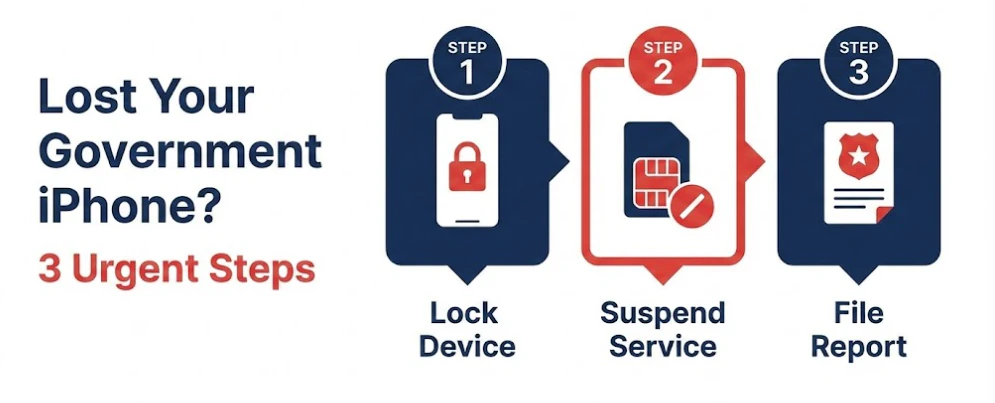
Step 1: Lock the Phone
- Open Find My iPhone on another device or at iCloud.com.
- Tap the device, select ‘Mark as Lost,’ and set a screen message with a safe callback number.
- If recovery is unlikely, select ‘Erase This Device’. Activation Lock will still protect it.
- Change your Apple ID password and email password right away.
Step 2: Stop Misuse on the Cellular Side
- Contact your provider and request a temporary suspension of service.
- Request an IMEI block to prevent anyone from activating that device on the network.
- Add or confirm your transfer PIN and request port protection or a SIM swap lock.
Step 3: File the Theft or Loss Complaints
- Police Report: Visit your local station or the city portal and bring device details, IMEI if known, last known location, timeline, and any witness info.
- Carrier or provider theft claim: Open a ticket that states stolen or lost, include your police report number, IMEI or serial if available, and the exact time of loss.
- Package theft or in-transit loss: File a claim with the shipping carrier, attach the tracking history, and include the delivery photo status.
- Identity Misuse: If you notice suspicious account activity, file a report at IdentityTheft.gov and retain the reference number for your records. For more on protecting yourself, read our guide on avoiding free iPhone scams.
- Unresolved provider issues: If your provider does not act on reasonable requests, submit a complaint to the FCC Consumer Help Center and contact the Lifeline Support Center for program questions.
Keep a simple log of dates, ticket numbers, agent names, and promised callbacks.
How the Lifeline Replacement Process Works
- Many providers allow one paid replacement within a set period. If you are unsatisfied with their terms, you may want to switch Lifeline providers.
- If you already own a compatible phone, you can often choose between SIM or eSIM only options for faster restoration.
- Support will verify identity, eligibility status, lost device details, and shipping address.
Proof Required
- Government ID, date of birth, and service address.
- Police report or incident number when marked stolen.
- Tracking proof that the phone went missing during delivery.
What Assistance Usually Covers
- The device replacement fee varies by provider and the availability of stock.
- SIM or eSIM reissue typically incurs a small fee, which may be waived with a police report.
- Ask about hardship waivers or a first-time courtesy credit.
Request a Replacement: Step-by-Step
- Contact support and open a ticket for theft or loss.
- Please provide your phone number, account details, and IMEI or serial number if available.
- Confirm the shipping address and select either standard or expedited delivery.
- Request the fee amount and timeline via email or in the ticket.
- Keep your log updated until delivery.
Keep Phone Number after Theft or Loss
- Your account remains active, and the number will continue to be assigned to you.
- If someone attempted a port out, request port protection, reset the transfer PIN, and ask the provider to review recent changes.
- If the number is compromised and cannot be recovered, request a new number and notify contacts.
Prefer Your Own Phone
- Run an IMEI compatibility check for the provider and its carrier backbone.
- Request a SIM-only or eSIM-only option; this is usually faster and cheaper than shipping a device.
- Confirm your unlock status, VoLTE support, and required bands before making the switch.
Troubleshooting After the Replacement
- Reset the SIM and reboot, then accept the carrier settings and attempt to make a call.
- Set network settings, toggle Airplane mode, and confirm that the APN loads automatically.
- Use a reliable Wi-Fi connection, set the date and time to automatic, and then try the QR code or activation code again.
- Match the IMEI on the box to Settings, ask support to refresh provisioning, or reissue eSIM.
Exceptional Cases
- Lost during a port or recent switch: Both providers must confirm routing and port status.
- Unpaid balance or policy violation: Resolve the issue before approval for replacement.
- Recovered later: Ask support to remove the IMEI block and the suspension, then test the line.
Quick Troubleshooting Table
| Problem | Likely Cause | Fast Fix |
|---|---|---|
| Replacement not approved | Verification incomplete | Send clear ID, confirm address, and request a ticket update |
| High fee quoted | No waiver on file | Provide police report or hardship info, request a review |
| Shipped but not delivered | Carrier or address issue | Track, correct the address, and request reship if returned |
| Active but cannot receive calls | Routing delay after restore | Wait 30 to 60 minutes, ask support to refresh the routing |
| eSIM profile installs, but no data | APN or profile issue | Delete profile, reinstall, reset network settings |
Anti-Theft Tips
- Keep Find My iPhone on at all times.
- Set a strong device passcode, enable Face ID or Touch ID.
- Enable two-factor authentication for your Apple ID and email.
- Use a case with a lanyard or a crossbody pocket in crowded places.
- Avoid using public Wi-Fi for account access; instead, use a trusted VPN.
- Never share your transfer PIN or account details by text or social messages.
FAQs
How many replacements can I get in a year?
Policies vary; many allow one paid replacement within a defined period. Check your provider terms.
Can I get the same model?
Not guaranteed. Replacements are usually like-for-like in value, often refurbished. Check our guide on top free iPhone models to see what might be available.
Do I need a police report?
Often optional, but it can help with fee waivers and account notes.
Advertisement
What if I find the phone after I receive a replacement?
Ask support to remove the IMEI block and the suspension on the original device. Choose which device to keep active.
Conclusion
Secure, report, restore, then harden. Use Find My, Mark as Lost, change Apple ID and email passwords. Call your provider to suspend service, request an IMEI block, enable port protection, and request a new transfer PIN. File a police report, open a theft ticket, and save the case numbers.
Need tailored help? Tell me your state, provider, and preferred path. We have specific resources for states like California, Texas, and Florida to help you find the right path.

Olivia is a trusted benefits specialist dedicated to helping households qualify for legitimate free government iPhone and connectivity programs. She reviews every update on our website to ensure the information is clear, compliant, and aligned with official FCC and USAC guidelines. Her work strengthens the credibility of our resources so users can apply with confidence.


