Free Government iPhone Recertification: Easy Renewal Guide
If you already receive Lifeline, you must confirm your qualification annually. That check is called recertification. Miss it, and your monthly discount can stop. The key is knowing where to go and what to submit. This guide shows you how to recertify on time, keep your number working, and avoid common mistakes.
You may see this term in emails or letters: Free iPhone Recertification. It means the same yearly Lifeline recertification, just written with device language for clarity.
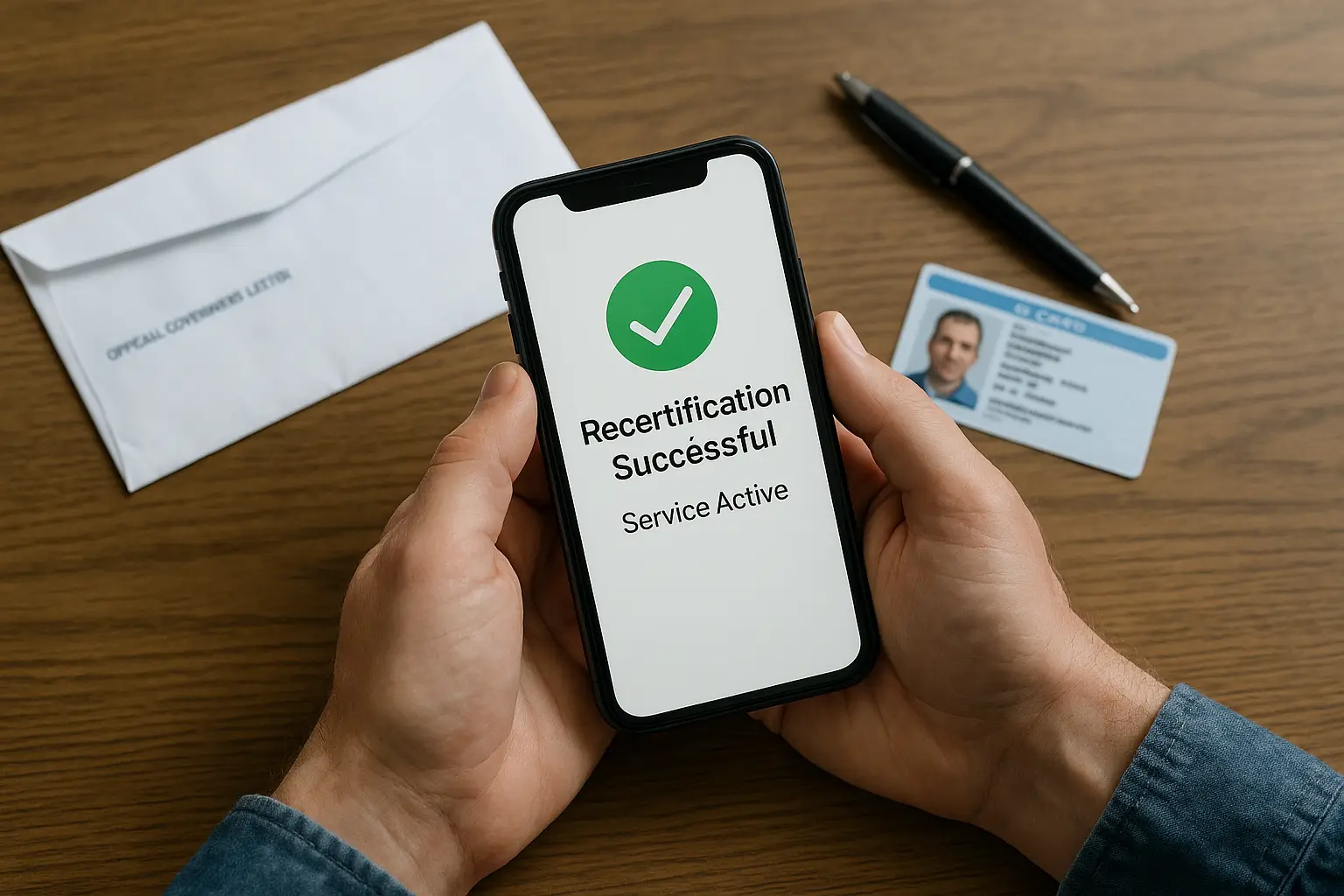
What is Free iPhone Recertification?
Recertification is a yearly verification that you continue to meet Lifeline rules, whether program-based or income-based. Most people are confirmed automatically by the National Verifier. If the system cannot prove you, you will get a notice to complete recertification yourself.
Why it matters
- It keeps your monthly Lifeline discount and service active.
- It prevents disenrollment for failure to respond.
- It makes sure your household information is accurate.
Who needs to recertify
- Every active Lifeline subscriber recertifies once per year.
- The program sets the timing, not your phone bill date.
- You will be notified by mail, email, or text, depending on the contact information you provide.
- If you pass the automatic database check, you are done for this cycle.
Tip: add both an email and a mobile number to your account so you never miss a notice.
Your Recertification Notice
Your notice explains what to do and when to do it. Focus on three items:
- Deadline. Most people get a 60-day window. Treat the date as firm.
- Method. You can recertify online, by phone, or by mail.
- Documents. Submit only what is requested, but keep extra proof ready.
If your notice arrives late, do not wait. Recertify the same day and call the support number on the letter to confirm receipt.
Advertisement
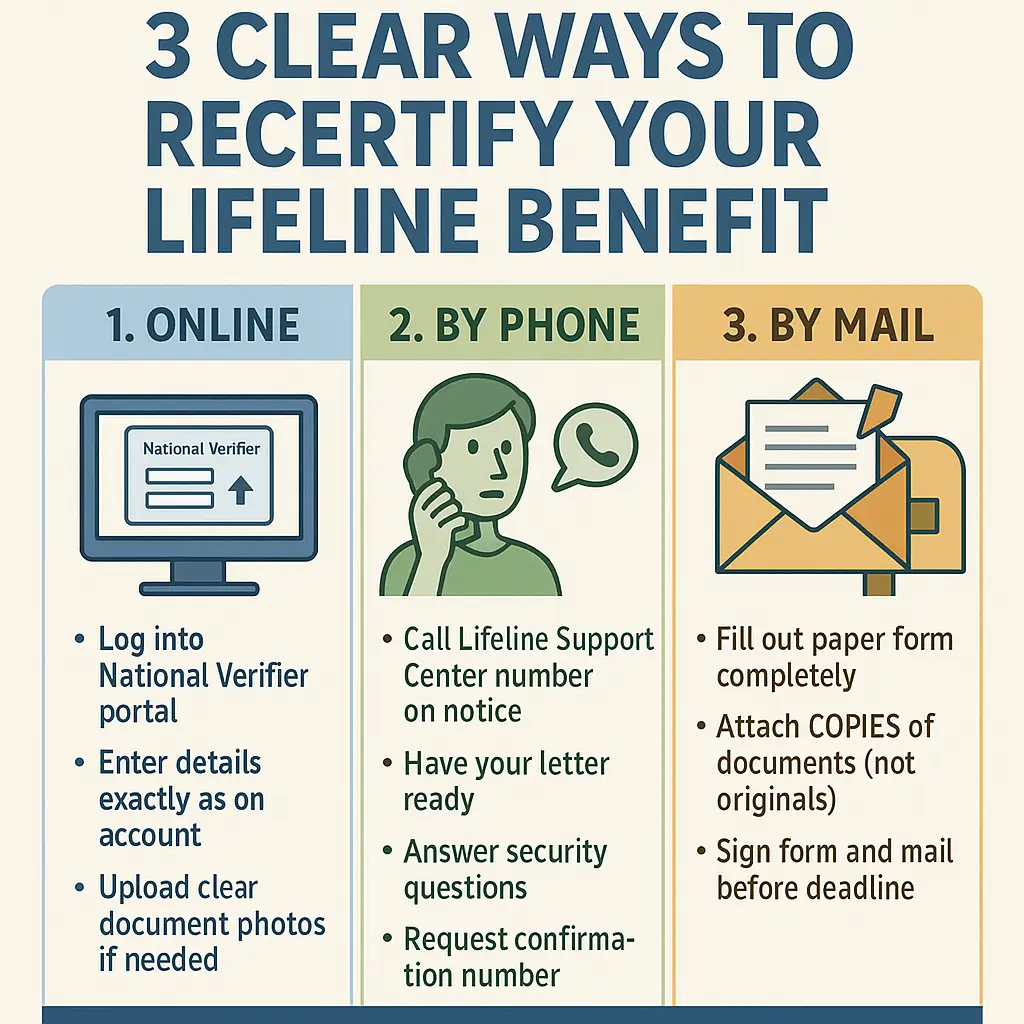
How to recertify: 3 Clear Options
Option 1: Recertify Online
- Go to the National Verifier website, sign in or continue with your existing info.
- Enter your name, date of birth, last four of SSN or Tribal ID, and service address exactly as shown on your account.
- If asked, please upload clear scans or photos of documents with visible edges and no glare.
- Review the certification statements, agree with them, and submit.
- Save the confirmation number or take a screenshot for your records.
Minor detail that helps: match your address format, for example, “Apt 4” versus “Apartment 4.” Tiny mismatches can trigger extra checks.
Option 2: Recertify by Phone
- Call the Lifeline Support Center number shown on your notice.
- Keep the letter in front of you.
- Confirm identity details, answer eligibility questions, and ask for a case or confirmation number.
Option 3: Recertify by Mail
- Fill out the paper form neatly, initial where requested, and sign where indicated.
- Attach copies, not originals, of any requested documents.
- Mail to the address shown on the form, then keep copies of everything you sent.
Documents You May Need
You may not need all of these, but having them ready avoids delays.
- Program proof is required to verify your qualification by program, such as SNAP, Medicaid, SSI, Federal Public Housing Assistance, or Veterans Pension.
- Income proof if you qualify by income, for example, recent pay stubs, a tax return, or an employer letter.
- Identity proof, for example, government-issued ID or Tribal ID.
- Provide address proof if requested, such as a utility bill, lease agreement, or official mail.
- Household worksheet: If prompted, answer truthfully to confirm one benefit per eligible household.
State-specific Handling
Most states use the National Verifier for recertification. A few states manage parts of the process, for example, California, Oregon, and Texas. If your notice lists a state portal or a different phone number, follow that path. The core rule stays the same: respond by the deadline.
Keep your service active during Recertification
Follow these year-round guidelines to maintain a good standing with your line of credit.
- Use your service at least once every 30 days; a call, text, or data session counts toward this requirement.
- Update your address within 30 days if you move, so notices reach you.
- Report changes in eligibility promptly, for example, a household change that affects income.
- Check spam and junk folders for emails from USAC or your provider.
Common Mistakes and Simple Fixes
- Missed deadline
- Fix: Set a phone reminder for the day you receive the notice, and aim to complete it within one week.
- Name or date mismatch
- Fix: copy details from your ID exactly, including middle name or suffix.
- Address formatting issues
- Fix: Use the USPS style on your ID or bill, and include the apartment or lot number.
- Unreadable documents
- Fix: retake photos in good light, keep all edges visible, and avoid reflections.
- Household worksheet skipped
- Fix: Complete it when asked; it prevents duplicate benefits at the same address.
- Waiting on slow mail
- Fix: If deadlines are tight, consider switching to online or phone communication instead of mail.
Quick Checklist
- Find your notice in the mail, email, or text.
- Add the due date to your calendar and set a reminder.
- Select your preferred method: online, by phone, or by mail.
- Gather documents, program proof, income proof, ID, and address.
- Submit early and save your confirmation.
- Make one call or text each month to maintain usage.
FAQs
Do I need to recertify if I passed the automatic check?
No. If the National Verifier confirmed you automatically, you are set for this year. Keep your contact details updated for next year.
I never received a letter. Can I still recertify?
Yes. Sign in to the National Verifier to check status, or call the Lifeline Support Center. Also, confirm your mailing address and email with your provider.
Can I switch companies while recertifying?
Yes. You can transfer your Lifeline benefit at any time. Do not miss your recertification deadline during the switch, and keep your name and address the same across both accounts.
I live on Tribal lands. Is anything different?
The steps are the same. If you receive the enhanced Tribal benefit, make sure your Tribal address is accurate and respond through the portal or phone listed on your notice.
What if my recertification is denied?
Read the reason on the decision page, then fix the issue and resubmit. Common causes are mismatched details or unreadable documents.
Can I use a P.O. Box?
You need a physical service address to be eligible. You can add a separate mailing address, such as a P.O. Box, for receiving letters.
Conclusion!
Free Government iPhone Recertification is not hard. Respond on time, keep your details consistent, and use your line every month. Handle it early, save your confirmation, and your Lifeline discount stays active without drama. If anything looks confusing, call your provider or the support center; a five-minute call now saves a shutdown later.

Olivia is a trusted benefits specialist dedicated to helping households qualify for legitimate free government iPhone and connectivity programs. She reviews every update on our website to ensure the information is clear, compliant, and aligned with official FCC and USAC guidelines. Her work strengthens the credibility of our resources so users can apply with confidence.