Free Government iPhone Near Me: Find Certified Providers Fast
December 2025 Update Provider-first checklist for ZIP based results
Eligible for a government iPhone but confused about the provider. If you are searching for a Free iPhone Near Me, the fastest path is to find a certified Lifeline provider that serves your ZIP, confirm iPhone availability, and then enroll.Key Takeaway
Below is a clean, provider-focused playbook that sticks to official sources and practical steps. Keep your information safe and use the USAC tool plus the provider’s official portal.1
Check eligibility in the National Verifier.2
Open USAC Companies Near Me and search by ZIP.3
Build a short list of certified Lifeline providers that offer mobile service in your area, then call to confirm stock.Certified Provider Discovery for 2025: Build Your Shortlist
If you are eligible to apply for an iPhone through a government program, choose the best provider first. Here is a method for finding certified providers to help you avoid issues later.Keep your information safe. Use only USAC and the provider’s official portal. You can also review the FCC program overview on the official site: FCC Lifeline support for consumers.
USAC Companies Near Me Walkthrough: Exact Search Method
Step 1
Run a Precise Search
ZIP or city and state
Enter your ZIP or your city and state.
Service type
Filter for mobile if the tool shows service types.
State list fallback
Click your state list if the ZIP results appear sparse; some statewide providers may not appear in the initial view.
Step 2
Read the Provider Cards
On each provider entry, note:Company details
Company name and legal entity.
Official contact
Website and customer support number.
Coverage signals
Service type and any coverage notes.
Step 3
Verify They are Certified
Every company surfaced by the USAC tool participates in Lifeline. Still, open the provider’s site and confirm:Lifeline page
A public Lifeline page with program details.
Secure enrollment
A live privacy policy and a secure enrollment portal that uses HTTPS.
Terms clarity
Service terms that mention one discount per household and Tribal benefits, where relevant.
Provider Questions That Confirm iPhone Availability Today
Call or chat and use short, direct questions.Stock confirmation
free iPhone for Lifeline in my ZIP today
Model reality check
iPhone models are available right now, for example, iPhone 7, iPhone 8, iPhone XR, and sometimes iPhone 11 or 12.
Delivery or pickup
Ship to home, or have in-person pickup
Plan details
Monthly plan, including data and hotspot.
Fees and timeline
Any fees and Expected Timeline
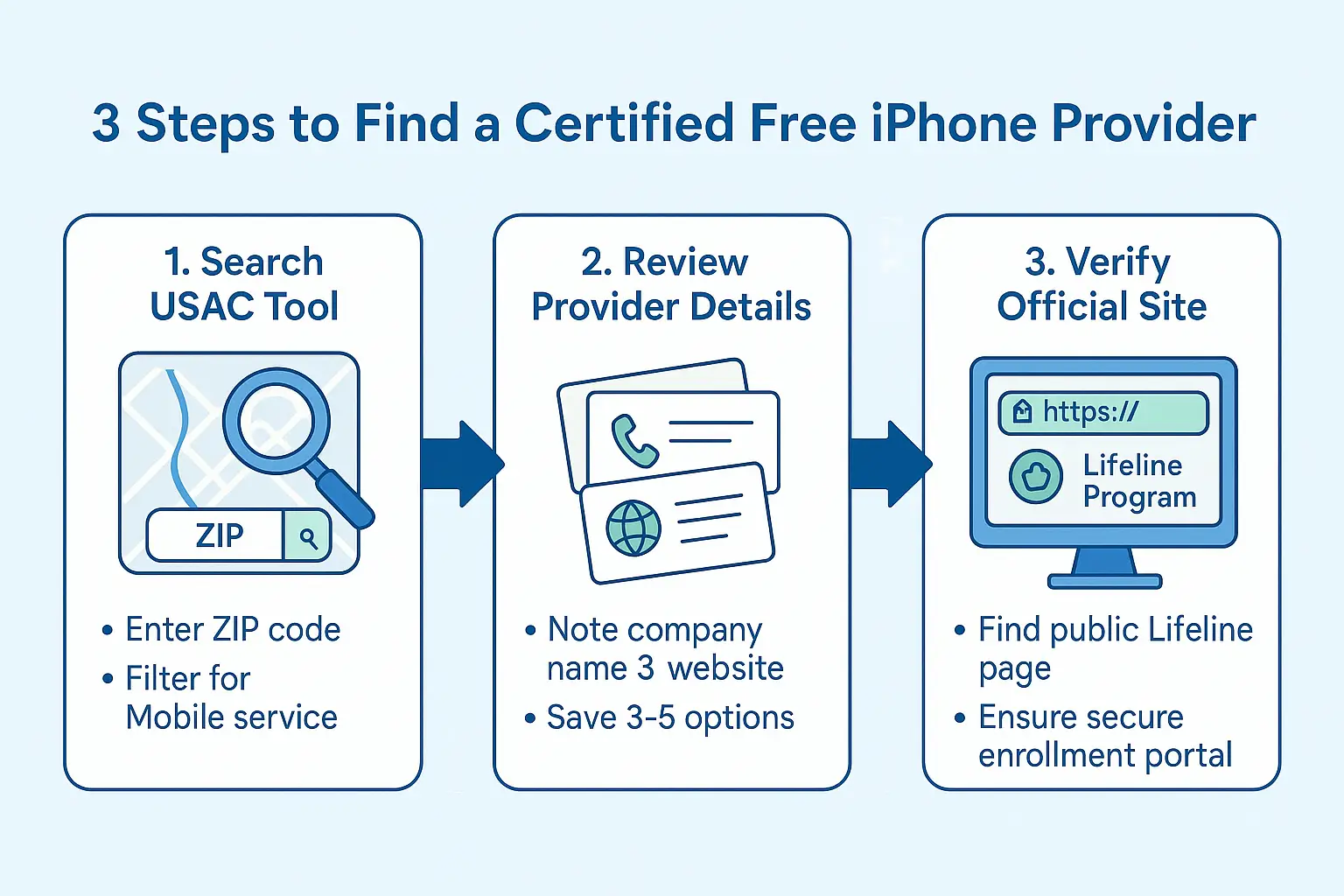
Search, review, and verify certified Lifeline providers before enrollment.
Understanding Provider Types in Your USAC Results
Type 1
Nationwide MVNOs on big carrier networks
These reseller services on major backbones usually offer ship-to-home and, in some cases, partner kiosks. Pros: Wide reach and predictable plans.Ask about the network backbone in your ZIP code; for example, it may be on T-Mobile or AT&T.Type 2
Regional and state-focused carriers
Good for rural ZIPs and smaller cities. Pros: local knowledge and sometimes faster support.Ask about local pickup and Tribal plan options.Type 3
Tribal specific program partners
If you live on Tribal lands, look for providers that list enhanced Tribal Lifeline.Ask for the Tribal documentation they accept and whether they can process it online.Comparison Checklist for a Free Government iPhone Near Me
When your goal is Free Government iPhone Near Me, focus on these five.| Factor | What to confirm |
|---|---|
| iPhone availability today | Ask for current stock and the exact model they can ship or activate. |
| Coverage on your block | Verify which backbone network is used in your ZIP and test expectations. |
| Plan details | Confirm data amount, throttling terms, and hotspot policies. |
| Activation method | Ask whether activation is via eSIM or physical SIM. |
| Support channel | Confirm the support number, chat option, and escalation path for issues. |
Same Week Activation Workflow from USAC Results
Shortlist providers
Shortlist three providers that clearly show mobile Lifeline.
Morning stock check
Call each one in the morning, ask for today’s iPhone stock.
Enroll with reachable delivery
Enroll with the company that confirms shipping to your home or a pickup option you can reach.
Test on day one
Activate the day it arrives, then test calls, texts, data, and hotspot.
State and Tribal Factors That Change Provider Choice
State variations
Some states require additional proof of address. Pick providers that accept digital uploads if you cannot visit a store.Tribal benefits
On Tribal lands, Lifeline discounts are stronger. Ask providers that serve your area to explain Tribal eligibility and whether they can process your Tribal ID online for faster approval.Documents Providers Ask for Before Enrollment
Have these ready before you click enroll.Government ID
Government ID that shows your legal name.
Proof of program or income
Proof of program or income, for example, SNAP, Medicaid, SSI, FPHA, Veterans Pension, or income within 135% of Federal Poverty Guidelines.
Proof of address
Proof of address, utility bill, or lease.
Port your number
If you plan to port your number, your account number, and transfer PIN from the old carrier.
Fraud Avoidance Checklist for a Safe Signup
Off platform ID requests
A site that asks for ID photos by text or WhatsApp. Use official portals instead.
Kiosk credibility
A kiosk that refuses to show a provider badge or a link to its Lifeline page.
Too good to be true
Promises a brand-new, latest-model with no paperwork.
Fee surprises
Fees that change during the call. Ask for fees in writing before you enroll.
FAQs for Free iPhone Near Me Searches
How do I verify a provider’s certification?
Use USAC Companies Near Me to build your list. Providers that appear there participate in Lifeline. Then confirm on the provider’s site that they have a public Lifeline page and a secure enrollment portal.Can I do everything without visiting a store?
Yes. Get National Verifier approval, select a provider from your USAC results, request ship-to-home, then activate via eSIM or physical SIM.Will I get the newest iPhone model?
Usually not. Expect iPhone 7, iPhone 8, or iPhone XR, sometimes iPhone 11 or iPhone 12 when stock is strong. Always confirm the model before you enroll.What if my ZIP shows few providers?
Open the state list on the USAC page, then check nearby ZIPs. Some companies serve areas larger than a single ZIP code search suggests.Conclusion
To make Free Government iPhone Near Me work in your favor, keep the process provider focused. Find certified Lifeline providers, verify eligibility once, then call to confirm iPhone stock, coverage, and activation method.Enroll through the official portal, activate the day you receive the SIM or eSIM, and test your service right away.
Olivia is a trusted benefits specialist dedicated to helping households qualify for legitimate free government iPhone and connectivity programs. She reviews every update on our website to ensure the information is clear, compliant, and aligned with official FCC and USAC guidelines. Her work strengthens the credibility of our resources so users can apply with confidence.